
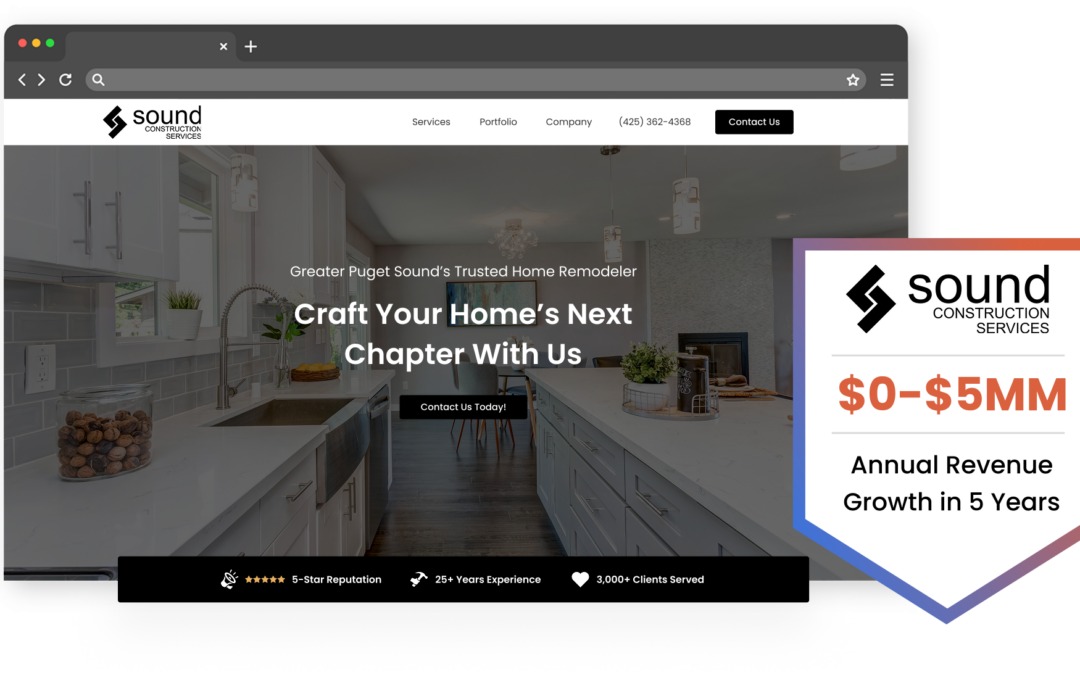
Web Design for Construction Company Sites: The Gap Between “Having a Website” and Winning Work
Most construction company websites exist as digital business cards. They have a logo, a phone number, a stock photo of a hard hat on a blueprint, and a tagline like “Quality You Can Trust Since 1998.” They check a box. They don’t generate leads.
The construction companies whose websites actually produce inbound work, phone calls from property owners, RFP inquiries from developers, quote requests from property managers, have made a handful of specific design and content decisions that separate them from the vast majority of contractor sites. Web design for a construction company isn’t about looking polished. It’s about removing every reason a visitor has to leave without making contact.
What the Best Construction Website Designs Actually Get Right
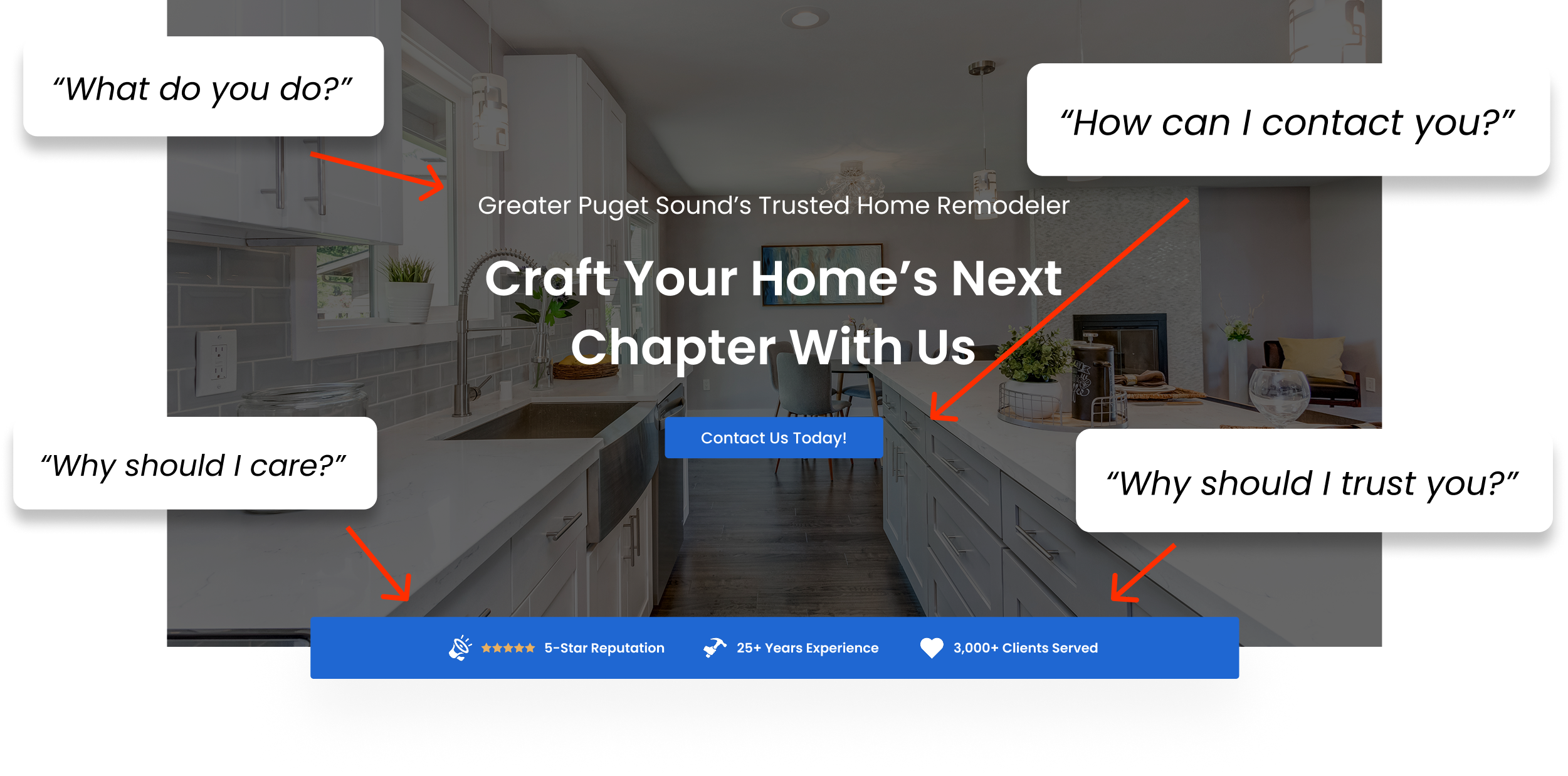
A visitor to a construction company website is usually trying to answer three questions fast: Can this company do the work I need? Are they credible? How do I contact them? Every design decision should serve one of those three questions. Most contractor sites fail on all three within the first five seconds.
Project Galleries That Tell a Story
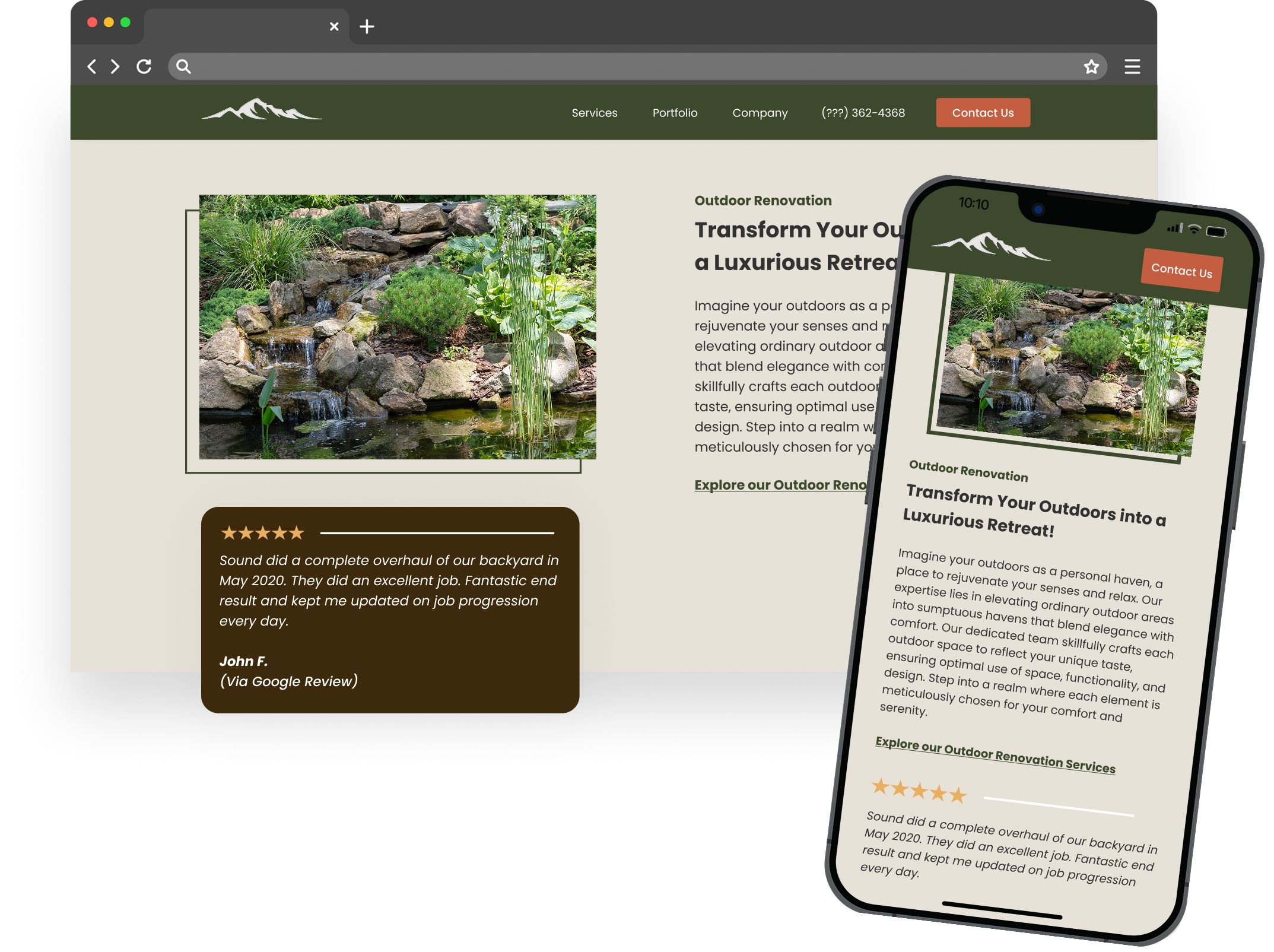
A grid of project photos with no context is a missed opportunity. The construction websites that convert well treat their project gallery as a portfolio for the construction company, not a photo dump. Each project gets a brief description: scope of work, timeline, challenges solved, location. Before-and-after sliders let visitors see the transformation. Some include drone footage stills to show scale on commercial or site work projects.
A homeowner looking at a kitchen remodel gallery wants to see a project similar to theirs. A developer evaluating a commercial builder wants to see comparable project size and complexity. Photos alone don’t answer those questions. A project gallery that includes the city, the service performed, and a sentence or two about the scope builds trust with visitors and creates pages that rank for local search terms.
Trust Signals Where People Actually See Them
Licenses, insurance, certifications, years in business, association memberships, these belong on the homepage, above the fold or immediately below it. Not buried on an “About Us” page. Construction is a trust-heavy purchase. A visitor who doesn’t see credibility markers within the first scroll is already mentally moving to the next Google result.
Reviews work the same way. A dedicated testimonials page that nobody navigates to is almost worthless. Reviews placed near calls-to-action, next to a “Request a Quote” button or alongside a project gallery entry, do real work. They reduce friction at the exact moment someone is deciding whether to reach out.
Mobile-First Isn’t a Suggestion
The majority of people searching for contractors are on their phones. Google indexes your mobile site first, not your desktop version. A construction website that looks great on a 27-inch monitor but loads slowly or displays poorly on a phone is functionally invisible.
Responsive design for builders means more than “the site shrinks to fit the screen.” It means click-to-call buttons are prominent. Forms are short enough to fill out with a thumb. Images are compressed so they don’t take several seconds to load on a cellular connection. Navigation doesn’t require pinching and zooming.
CTAs That Don’t Make People Hunt
A single “Contact Us” link in the top navigation is not a lead generation strategy. The construction websites that produce consistent inbound leads have contact forms or phone numbers visible on every page, in the header, after project galleries, at the bottom of service descriptions, in a sticky mobile bar. The visitor should never have to think about how to reach you.
Construction Company Website Patterns Worth Studying
You don’t need to copy another contractor’s site. But studying what works across different types of construction businesses reveals patterns you can apply to your own:
- The general contractor with a project calculator on the homepage. Instead of leading with a hero image and tagline, this site opens with an interactive element, a simple budget estimator or project scoping tool. The calculator collects basic project details and delivers a ballpark range, then funnels into a quote request. It pre-qualifies leads before anyone picks up the phone. This works especially well for residential GCs doing kitchens, additions, and whole-home renovations.
- The specialty subcontractor with service-area depth. A concrete contractor or a roofing company serving a metro area with 15+ surrounding cities. Each city gets its own landing page with localized content, not just the city name swapped into a template, but references to local building codes, common soil or weather conditions, and photos from projects in that area. This service page architecture is the backbone of construction SEO for companies that serve a geographic region rather than a single city.
- The remodeler whose portfolio pages include client video testimonials. Written reviews are good. A 45-second video of a homeowner standing in their finished kitchen talking about the experience is better. This remodeler embeds short testimonial clips directly on the relevant project page, so a visitor looking at a bathroom remodel sees the homeowner from that project talking about it.
- The commercial builder with case-study-style project pages. Each project page reads like a mini case study: the client’s challenge, the approach, the timeline, the outcome. Photos are organized chronologically. Their prospects, developers, facility managers, architects, want to see process and problem-solving, not just finished photos.
- The design-build firm with a content hub. This site publishes articles about material choices, design trends, permitting timelines, and project planning. Each article targets a specific question their ideal client is searching for. The blog isn’t filler, it’s a lead generation engine. Articles link to relevant service pages. Visitors who arrive through an informational search end up on a service page with a quote form.
Residential sites lean on visual storytelling and emotional proof. Commercial sites lean on process documentation and professional credibility. Match the pattern to who you’re actually trying to reach.
WordPress, Wix, or Squarespace for a Construction Business
If you need a site live this week and you’re a one-person operation, Wix or Squarespace will get you there. Both have contractor website templates and even flooring website templates that look decent out of the box. Squarespace is stronger for visual, portfolio-heavy sites. Wix is easier to customize without touching code. Either one is fine as a starting point.
If you’re investing in SEO, plan to add service-area pages over time, want to integrate a CRM or lead tracking, or expect your business to grow beyond a handful of employees, WordPress. It’s more flexible, better for construction SEO, and gives you full ownership of your site. The tradeoff is that it requires more maintenance and usually a developer or agency to build and manage properly.
The mistake contractors make is starting on Wix or Squarespace, investing a year of content and SEO work into it, and then realizing they need to migrate to WordPress anyway. If you know you’re going to take your online presence seriously, start on WordPress and skip the migration headache.
SEO Strategies Most Construction Websites Completely Miss
Most contractor sites have almost no SEO infrastructure. They have a homepage, a single “Services” page listing everything they do, an “About” page, and a “Contact” page. That’s four indexable pages competing against competitors who may have forty or more.
One Page Per Service, Per Location
A general contractor who does kitchens, bathrooms, additions, and whole-home renovations in the Dallas-Fort Worth area should not have a single services page. They should have a dedicated page for “kitchen remodeling in Dallas,” another for “bathroom remodeling in Fort Worth,” another for “home additions in Plano,” and so on. Each page needs unique content, not the same paragraph with the city name swapped out.
This is the single highest-impact SEO decision most construction companies haven’t made. Google ranks pages, not websites. If you don’t have a page targeting “[your service] + [your city],” you’re not competing for that search.
Google Business Profile and Local SEO Integration
Your Google Business Profile is often the first thing a prospect sees, before your website. It needs to be fully built out: correct business categories, service areas, photos updated regularly, and reviews actively managed. Your website should link to your GBP, embed a Google Map on your contact page, and maintain consistent NAP (name, address, phone) data across every directory and listing.
Location pages on your site should reference the specific areas you serve with enough local detail that Google understands your geographic relevance. A page about “concrete work in Austin” that mentions specific neighborhoods, local soil conditions, or city permitting requirements signals relevance in ways a generic page never will.
Image Optimization Is Not Optional
Construction sites are full of large, high-resolution photos, and that’s exactly what kills page speed. A homepage with eight unoptimized project photos can easily take several seconds to load on mobile. Google penalizes slow sites in rankings, and visitors leave before the page finishes rendering.
Every image should be compressed, served in modern formats (WebP), and lazy-loaded so images below the fold don’t slow down the initial page render. Alt tags on images should describe the project and location, “completed kitchen remodel in Scottsdale AZ” rather than “IMG_4582.”
Project Blog Posts That Compound Over Time
Publishing a blog post about each completed project, with the service type, location, scope, and a few photos, creates a growing library of pages that target long-tail search terms. A post titled “Custom Home Build in Lake Travis: 4,200 Sq Ft Modern Farmhouse” targets searches you’d never rank for with your homepage alone. A construction company publishing a couple of project posts per month can build a meaningful organic footprint within one to two years.
Schema markup for local business, reviews, and FAQ sections adds another layer. Most construction websites don’t have any structured data, which means they’re leaving rich snippet opportunities, star ratings in search results, FAQ dropdowns, local business information, to competitors who do.
Turning Visitors Into Leads
A site can rank well and still produce almost no leads if the user experience in construction websites is neglected at the conversion layer.
- Contact forms above the fold and repeated at logical points — after a project gallery, below a service description, in the footer of every page. The form should be short: name, phone, brief project description. Every additional field costs you submissions.
- Click-to-call buttons on mobile. If a visitor has to copy your phone number and paste it into their dialer, you’ve already lost a percentage of them.
- Social proof placed near CTAs. A star rating or a short review quote next to a “Request a Quote” button outperforms a standalone testimonials page by a wide margin.
- Chat widgets vs. forms vs. phone. A chat widget is worthless if nobody responds for two hours. If your team can respond quickly, chat captures leads that wouldn’t have filled out a form. If not, stick with forms and phone.
One often-overlooked piece: integrating your site’s forms with a CRM or project management tool so leads don’t sit in an inbox unnoticed. A lead that gets a response within 15 minutes is dramatically more likely to convert than one that waits until the next morning.
The Website Development Process: What Actually Slows It Down
The development phases are straightforward: discovery, wireframing, design, development, launch, iteration. What stalls most construction website projects isn’t the design or coding. It’s content. Contractors are busy running jobs. Gathering project photos, writing service descriptions, collecting testimonials, and reviewing drafts falls to the bottom of the priority list. Projects that should take six to eight weeks stretch to four to six months because the content pipeline stalls.
Assign someone internally to own the content gathering before the design process starts. Or work with an agency that handles content creation as part of the build. Launching a simpler site with strong fundamentals, clear CTAs, a few well-documented projects, mobile-friendly construction site design, and proper SEO structure, and improving it quarterly beats waiting half a year for a site that’s “perfect.”
What a Construction Website Should Do in Its First 90 Days
A new site won’t rank on page one the week it launches. But it should hit measurable milestones that tell you whether it’s on track.
First 30 days: your site should be indexed by Google, linked to your Google Business Profile, and have analytics and conversion tracking confirmed. You should know that form submissions, phone calls, and chat interactions are being recorded.
Days 30–60: organic impressions appearing in Google Search Console, even if clicks are still low. Initial form submissions from direct traffic (people who already know your company) and referral traffic (links from directories, social media, or your GBP).
Days 60–90: first organic leads trickling in. Enough data to see which service pages are getting traffic, which ones aren’t, and where visitors are dropping off. That data tells you where to invest next, whether it’s adding location pages, improving a specific service page, or adjusting your CTA placement.
The contractors who treat their website like a living system, updating project galleries, publishing content, refining based on data, are the ones whose sites generate more leads in year two than year one. The ones who launch and forget end up back where they started.
IMPACT Digital builds construction websites with this trajectory in mind, not as one-time projects, but as lead generation systems designed to compound over time. If your current site isn’t producing measurable inbound leads, the structure and strategy gaps outlined above are almost certainly where to start looking.